Locked with Touch ID
Encrypt anything sensitive. It stays blurred until you unlock it, and secrets you mark can expire on their own.
⌘LTouch ID
Press ⌘⇧V in any app, type a few letters, press ↩. Copse pastes it right where you are. Private, native, and yours for $2.99.
macOS 15 Sequoia or later · Apple silicon and Intel · $2.99 once
Live demo. Click in, then try ↑↓, Tab, ⇧Space, ↩, or select a few with ⇧↓ and press ⌘↩.Live demo. Tap an item, then the eye to preview it or the copy button to paste. Try Paste Stack at the bottom.
Pasted items land here, like in the app you were using.
Filling a form, moving a list, copying from one doc into another? Load a stack, then every ⌘V in any app pastes the next item, in order.
Paste Stack3 left2 left1 leftDone
Keeps everything you copy, sorted by kind
Real screenshots of Copse 0.1.0. No mockups.
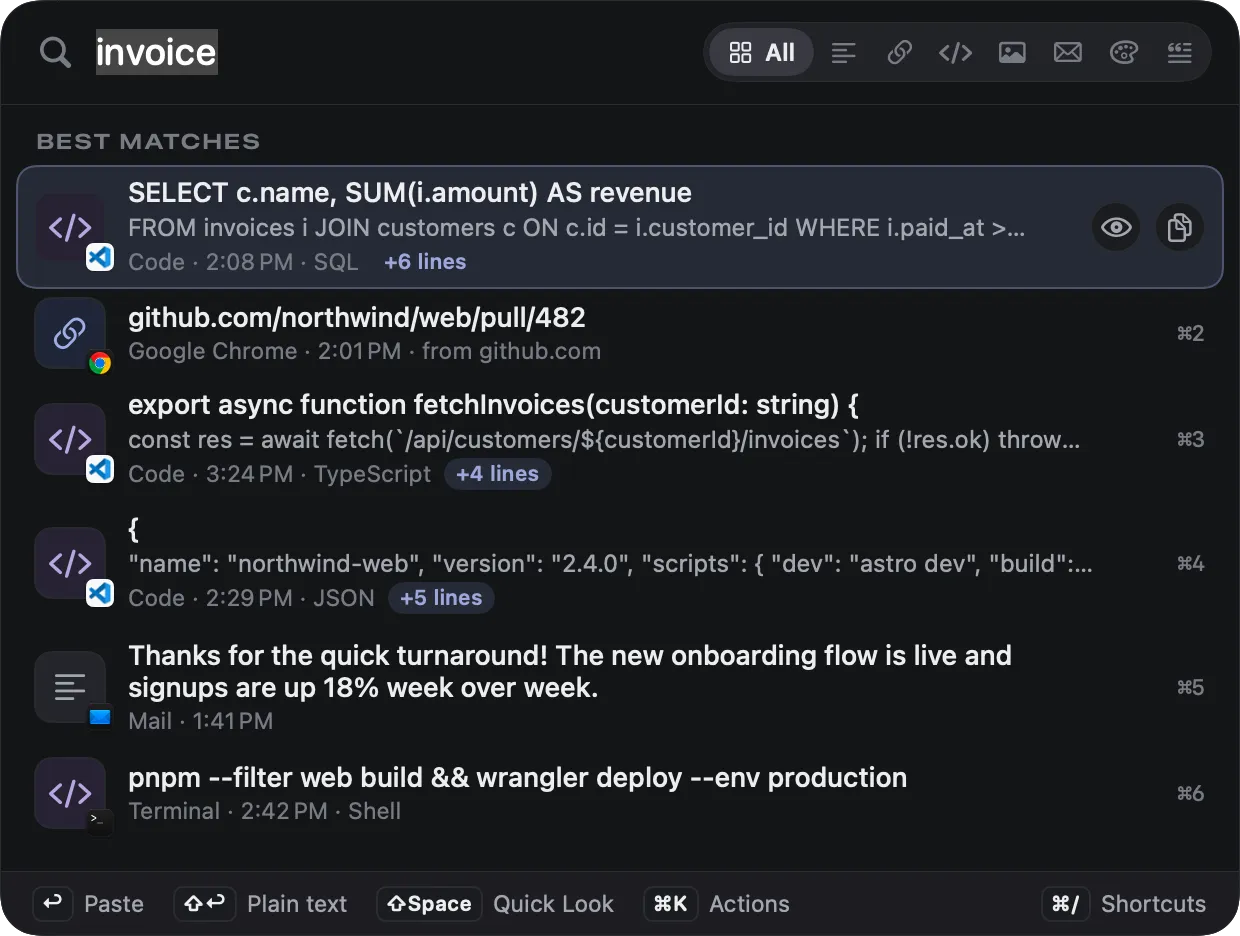
Type “invoice” and Copse finds the code, the SQL and the email that mention it, ranked as you type. Tokens like type:link or app:slack narrow it further.
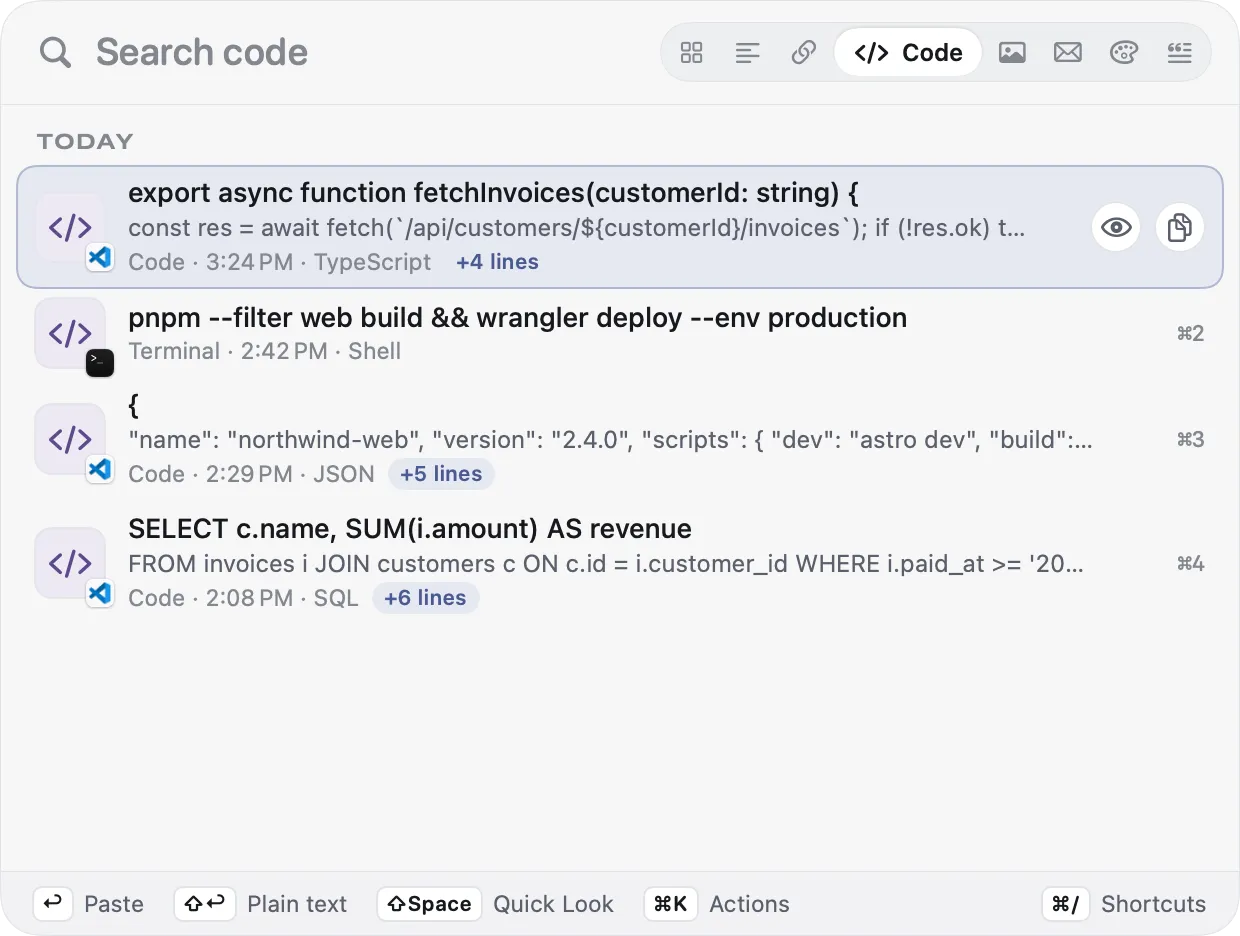
Everything, text, links, code, images, emails, colors or snippets. The scope strip lives in the search bar, and Tab moves through it.
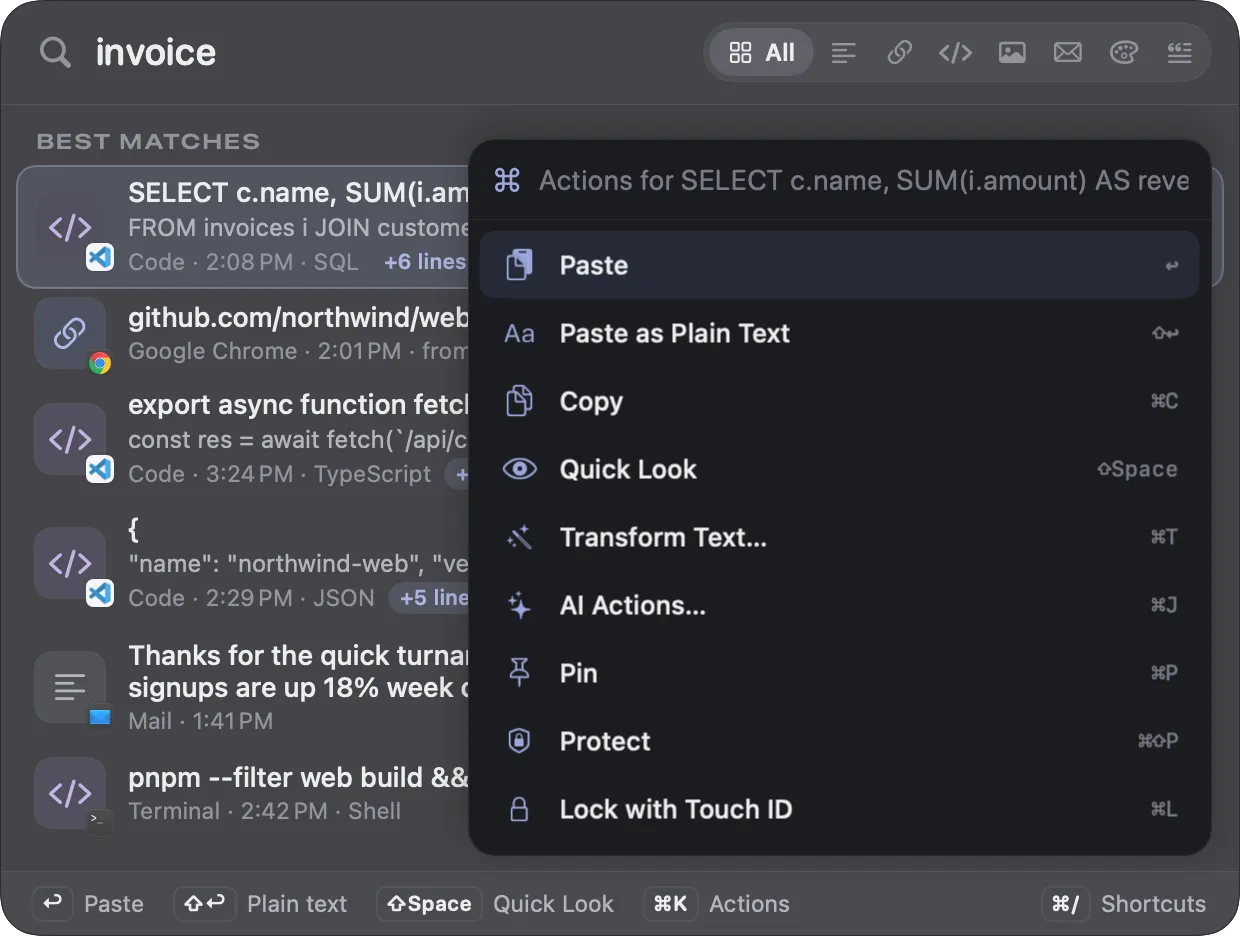
Paste as plain text, transform, run an AI action, pin, protect or lock with Touch ID. Every action has a shortcut, shown right beside it.
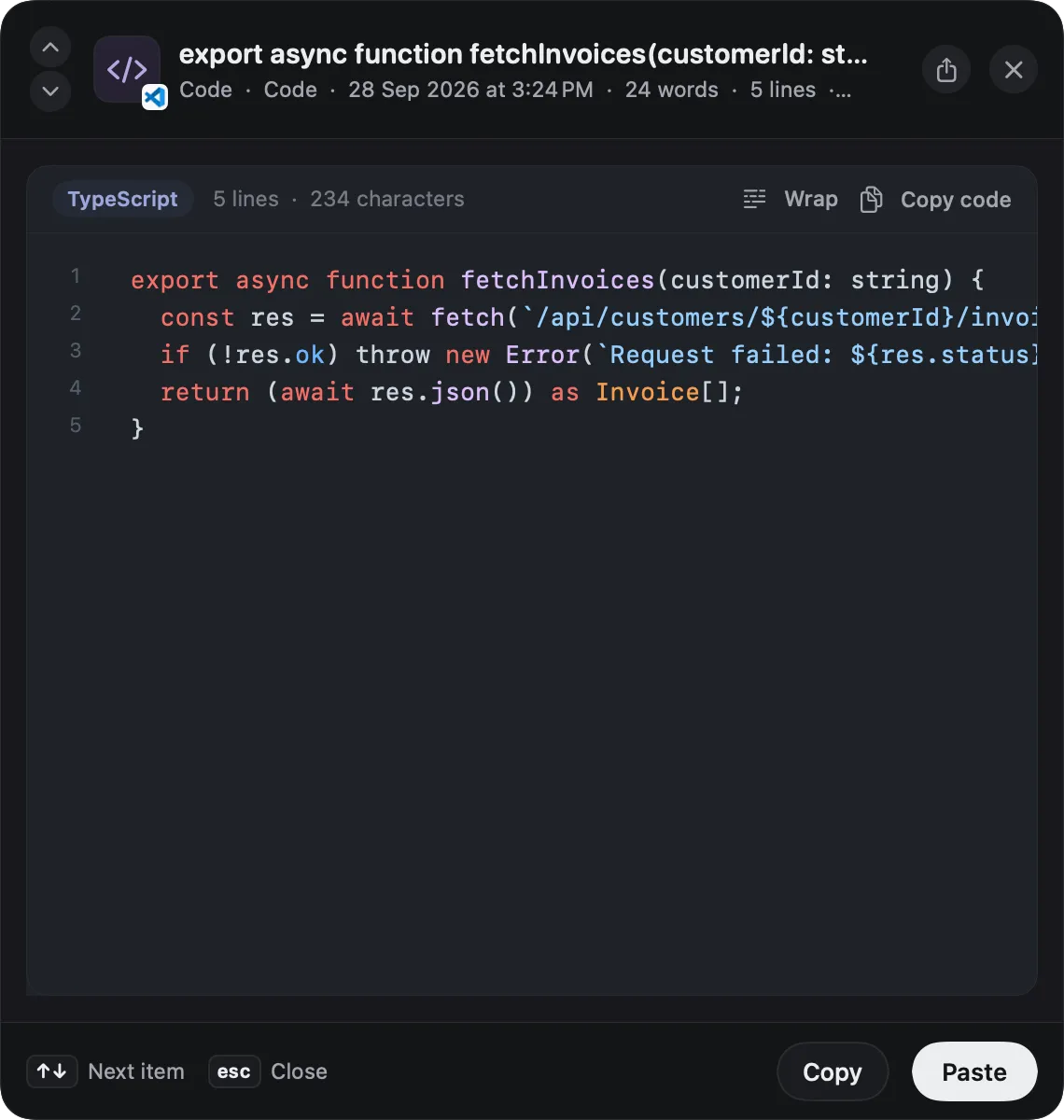
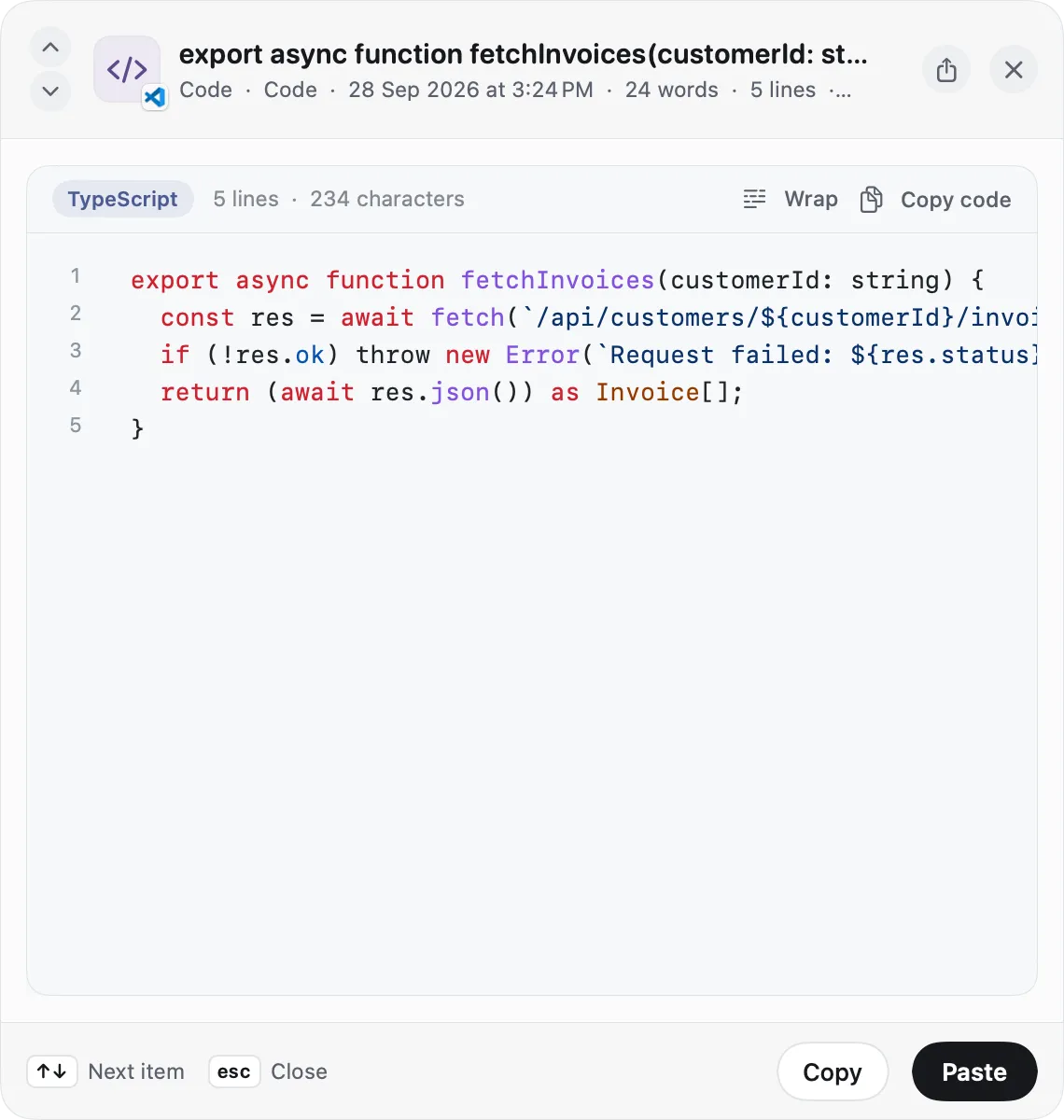
Press ⇧Space for a big preview. Code gets its language, line numbers and highlighting that fits light and dark, plus wrap and one-click copy.
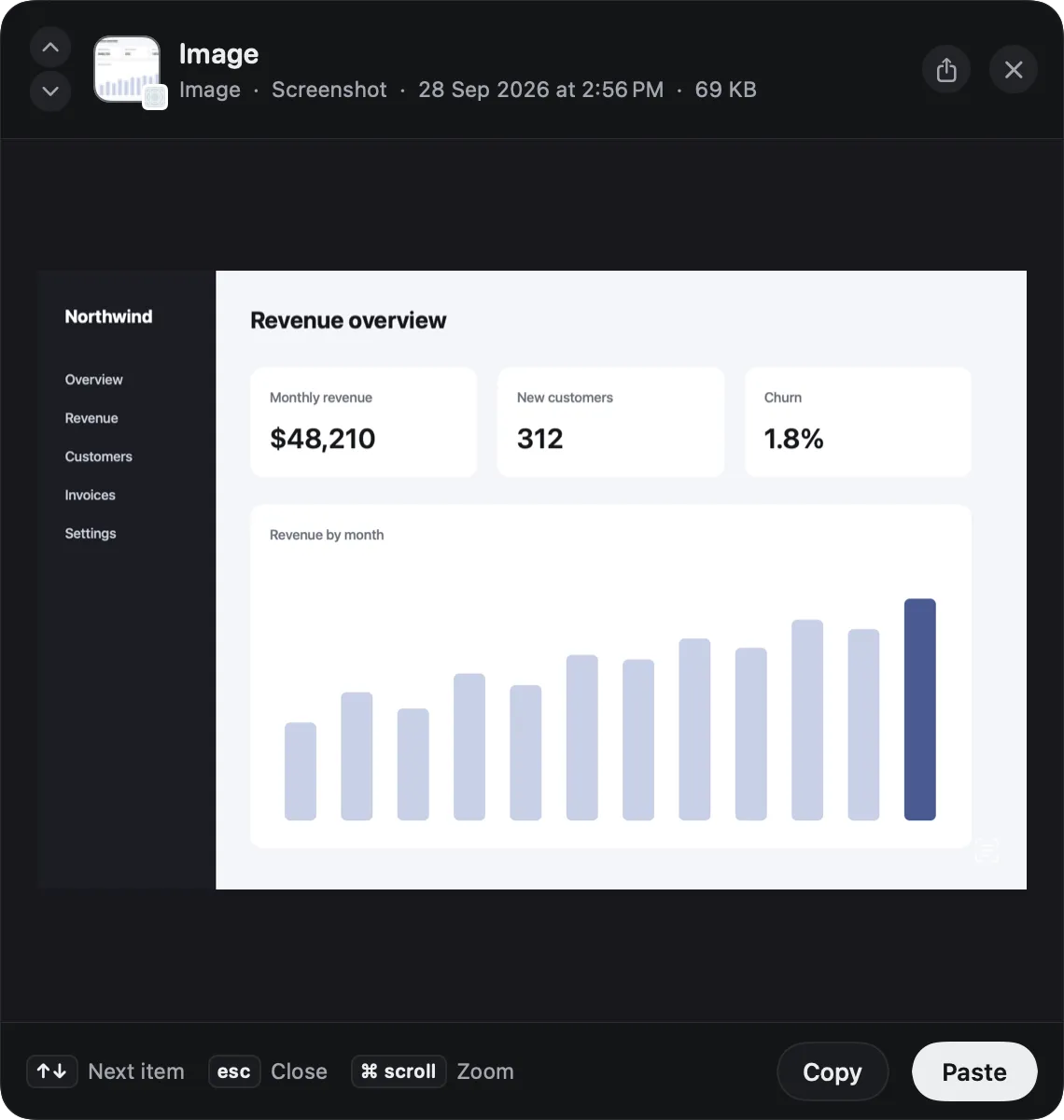
Copse reads the text in your screenshots on your Mac, so you can search for it later. In the preview, zoom in and select the text with Live Text.
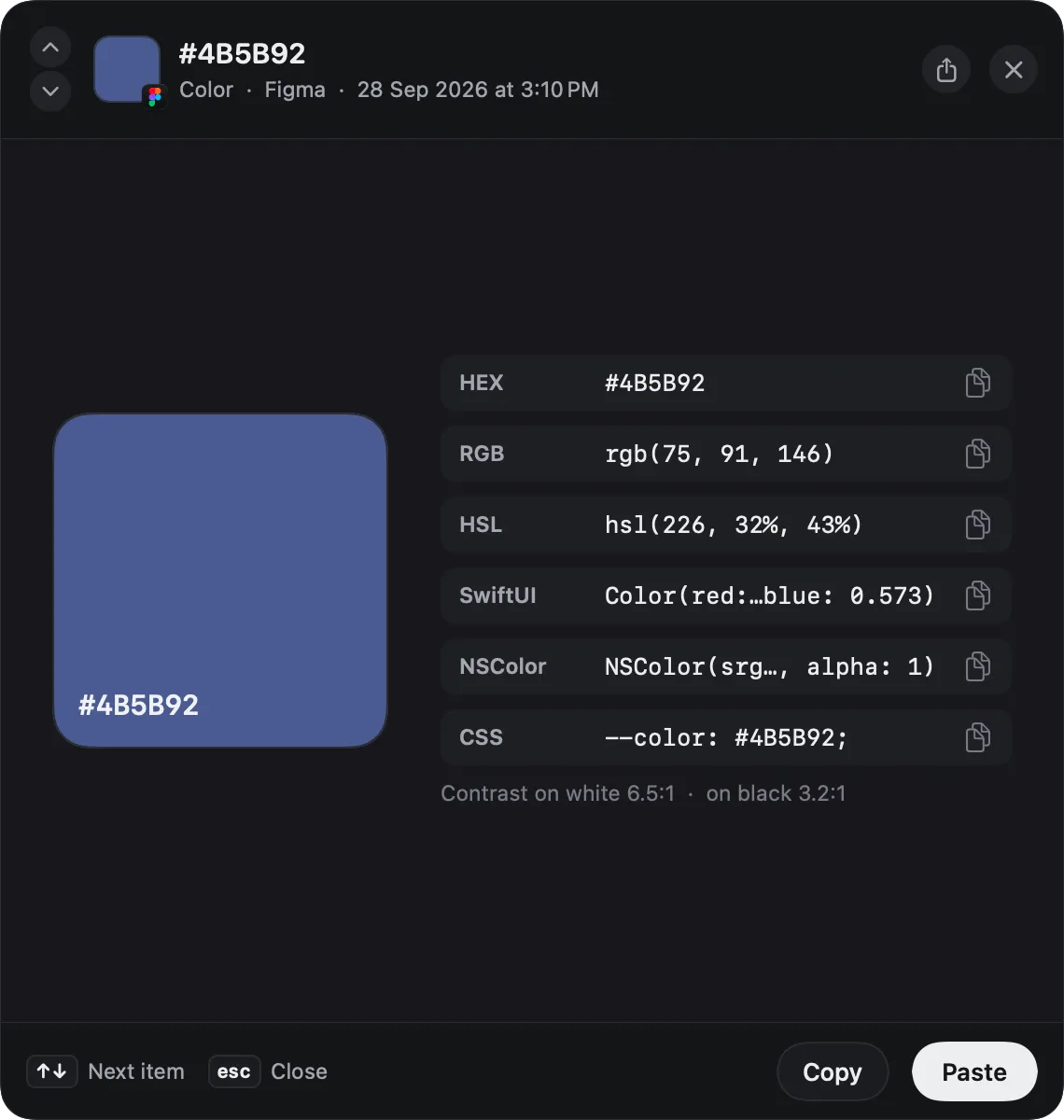
Copy #4B5B92 in Figma and get HEX, RGB, HSL, SwiftUI, NSColor and CSS, each one click away, with contrast ratios.
Everything here ships in Copse 0.1.0.
Encrypt anything sensitive. It stays blurred until you unlock it, and secrets you mark can expire on their own.
⌘LTouch ID
Select several items and press ⌃↩. They paste one after another, with Tab between.
⇧↑↓⌃↩
Group items by hand, or save a search as a smart collection that fills itself.
type:link site:github.com
Text you type often, with {date}, {clipboard} and {cursor} filled in for you.
⌘S{cursor}
Change case, pretty-print JSON, decode URLs, or strip emails and keys before you share.
⌘T
Your five latest copies, one click or ⌘1–5 away, with the full history behind them.
⌘1–5
Import from Maccy and Paste, and export everything to an open archive whenever you like.
MaccyPaste
Swift and AppKit, about 8 MB, with about 0% CPU when idle.
Apple siliconIntel
A clipboard sees everything: passwords, messages, work in progress. Copse is built so the only place it ever lives is your Mac.
Every connection Copse makes
None of them include anything you copied. Read the policy
Download, open, done. There is nothing to sign up for.
Your history never leaves your Mac unless you send an item to Copse Cloud AI yourself.
Items that password managers mark as concealed or transient are never saved.
Pick apps whose copies Copse should ignore entirely.
The panel stays invisible when you share or record your screen.
History lives in your user Library, on your Mac, and nowhere else.
Turn anything you copy into what you need: a cleaner paragraph, a translation, a JSON object. Pick where the thinking happens. Two of the three options are included with your license.
Apple's Foundation Models run right on your Mac. Nothing leaves it, and there's nothing to set up.
Needs macOS 26 or later
Bring your own key for OpenAI, Anthropic, Gemini or OpenRouter, or point Copse at Ollama or LM Studio. Requests go straight from your Mac to the provider you chose.
No keys, no setup. Buy credits only if you want them. Only the item you choose is sent, and it isn't logged.
50 free starter credits with every license
250 credits
$2.99
One-time · never expire
500 credits
$4.99
One-time · never expire
1,200 credits
$9.99
One-time · never expire
Yearly
$14.99/year
150 credits every month
Copy something in Chrome, Arc, Brave or Edge, and Copse keeps the page's address, title and icon with it. Later, jump straight back to where you found it.
An honest look at the popular options. Where we're not there yet, we say so.
| Copse | CopyCat | Pastev7 | Maccyv2.7 | Raycastv2 | Spotlight clipboardmacOS 26/27 | |
|---|---|---|---|---|---|---|
| Price | $2.99 once | $4.99 once (launch price) | $29.99 a year | Free, open source ($9.99 on the App Store) | Free with 3 months of history; Pro $96 a year | Free, built in |
| Runs on | macOS 15+, Apple silicon and Intel | macOS 15+, Apple silicon and Intel | macOS 14+ | macOS 14+ | macOS 26+, Apple silicon only | macOS 26+ |
| How it opens | ⌘⇧V floating palette | ⌘⇧V floating palette | Shelf along the bottom of the screen | Menu bar pop-up | Raycast window | ⌘Space, then ⌘4 |
| History you can keep | Yes | Yes | Yes | Yes | Yes3 months free, unlimited with Pro | NoUp to 7 days, no pins |
| Shows the source app | YesApp, time and web page | Yes | Yes | Yes | Yes | No |
| Skips password-manager items | Yes | Yes | Not documented | Yes | Not documented | Yes |
| Analytics in the app | None | None | No servers; App Store label lists a device ID | None, fully local | The app sends analytics | On-device |
| Search text in images (OCR) | YesOn-device, searchable | No | Yes | Copy text from an image | Yes | No |
| Paste stack | Yes | No | Yes | No | No | No |
| Export and import | YesIncluding import from Maccy and Paste | No | No | No | No | No |
| AI actions | YesOn-device, your own key, or optional credits | Not documented | Apple Writing Tools, MCP | No | Cloud “Ask Clipboard” | No |
| Locked items with Touch ID | YesEncrypted on disk | No | Not documented | No | No | No |
| Sync between devices | No, local only by design | No | iCloud (Mac and iOS) | No | No, by design | No |
| Where to get it | Direct download (Homebrew planned) | Direct download | Mac App Store, direct, Setapp | GitHub, Homebrew, Mac App Store | Direct download | Built into macOS |
Compiled in September 2026 from each app's website, documentation, App Store listing and release notes. Apps change quickly; if something here is out of date, tell us and we'll fix it.
No subscription, no account, no upsell to unlock the basics.
Because the App Store sandbox doesn't allow an app to paste into other apps, and pasting back into the app you were in is the whole point of Copse. So Copse is sold directly, like many of the Mac's best utilities.
Copse is signed with an Apple Developer ID and notarized by Apple, so Gatekeeper checks it before it first opens. Updates come through Sparkle and are cryptographically signed; Copse refuses an update whose signature doesn't match. To check it yourself, run spctl --assess --verbose /Applications/Copse.app in Terminal. It should say accepted, source=Notarized Developer ID.
It stays on your Mac, in your user Library. Copse has no account, no cloud and no analytics, and your clipboard content never leaves your Mac unless you choose to run a Copse Cloud AI action on an item. Delete an item, or clear your history, and it's gone. The privacy policy lists every network request Copse makes.
No. Password managers mark what they copy as concealed or transient, and Copse never captures those items. You can also exclude any app so nothing copied in it is kept, and the Copse palette is hidden from screen sharing and recordings.
Yes. One $2.99 license covers all of your personal Macs, and the same key unlocks Copse for Chrome.
Instead of a trial there's a 7-day, no-questions refund. If Copse isn't for you, email copse@mayankbuilds.com within 7 days of buying and you'll get your money back.
Yes: $2.99 once, for a lifetime license. The only optional extra is Copse Cloud AI credits, and you never need them. On-device AI and bring-your-own-key AI are included with the license.
macOS 15 Sequoia or later, on Apple silicon and Intel Macs. On-device AI needs macOS 26 or later with Apple Intelligence available.
So that ↩ can paste straight into the app you were using. macOS requires Accessibility permission for that. If you'd rather not grant it, Copse still copies the item for you and you press ⌘V yourself.
No. Copse shows the source app and time for every item on its own, and Chromium browsers already include basic page info when you copy. Copse for Chrome adds the page title and icon, and a “jump back to source” button.
It's planned. Once it's available: brew install --cask copse.
Copy freely. Copse brings it back.
$2.99 once · macOS 15 Sequoia or later · Apple silicon and Intel